I gave my first talk on October 29th, at CoruñaWTF. I’d been sitting in the audience at other people’s talks for years, and Andrea Magán Rey roped me into giving one about HackUDC. It went better than I could have asked for. I liked telling people what’s under the hood, and I liked the questions afterwards, and the chats with everyone who came up to me, even more.
I gave it in Spanish, so the slides are in Spanish too. If you want to follow along, download the deck. What follows is the same story in English.
The weekend that needs a lot of plumbing
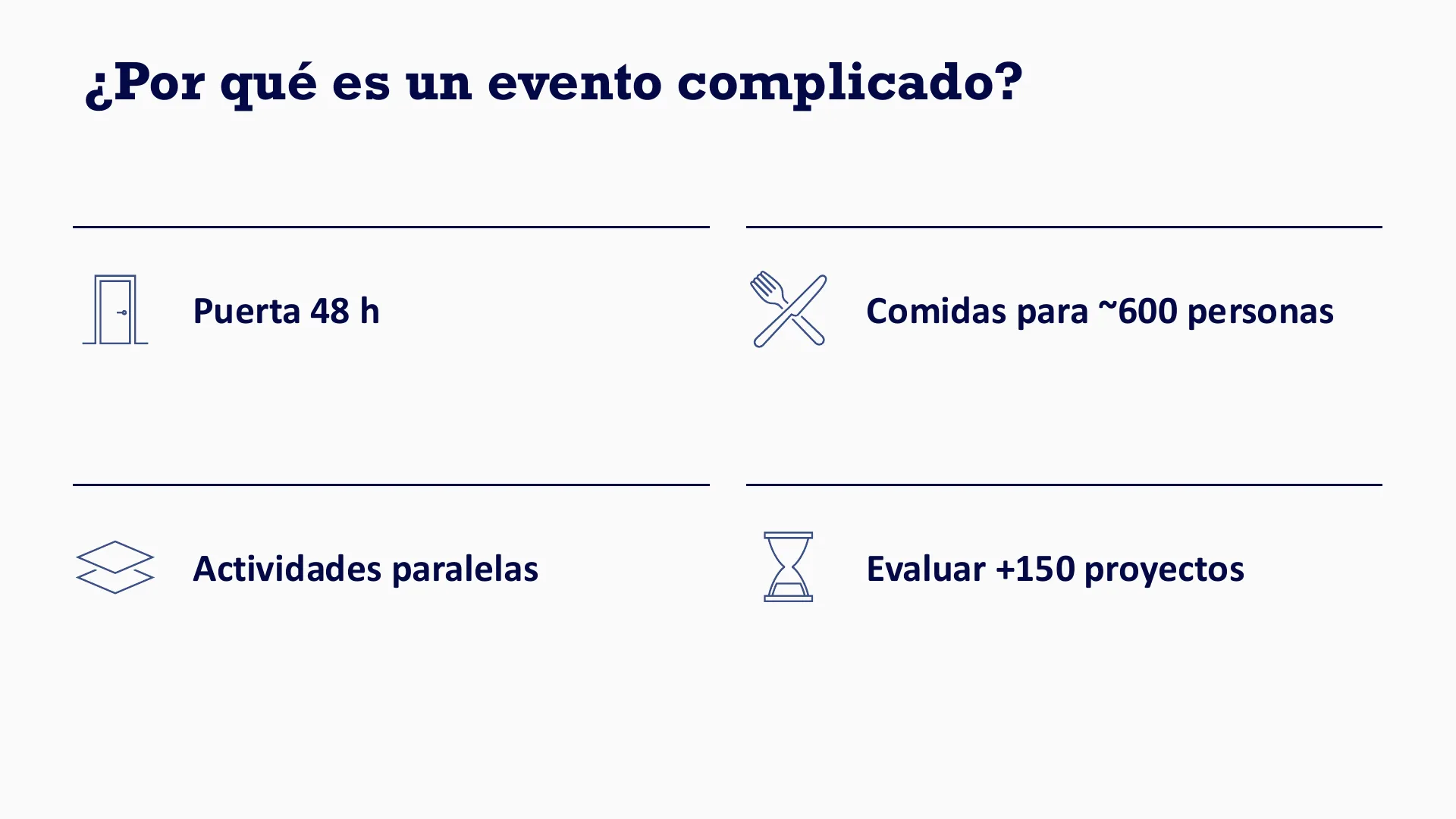
HackUDC is a hackathon: teams of up to four build a project over a weekend, either from a challenge set by a sponsor or from their own idea, and judges pick the winners. Simple on paper. In practice the doors are open for 48 hours, around 600 people need to eat, activities run in parallel, and more than 150 projects have to get in front of the judges.
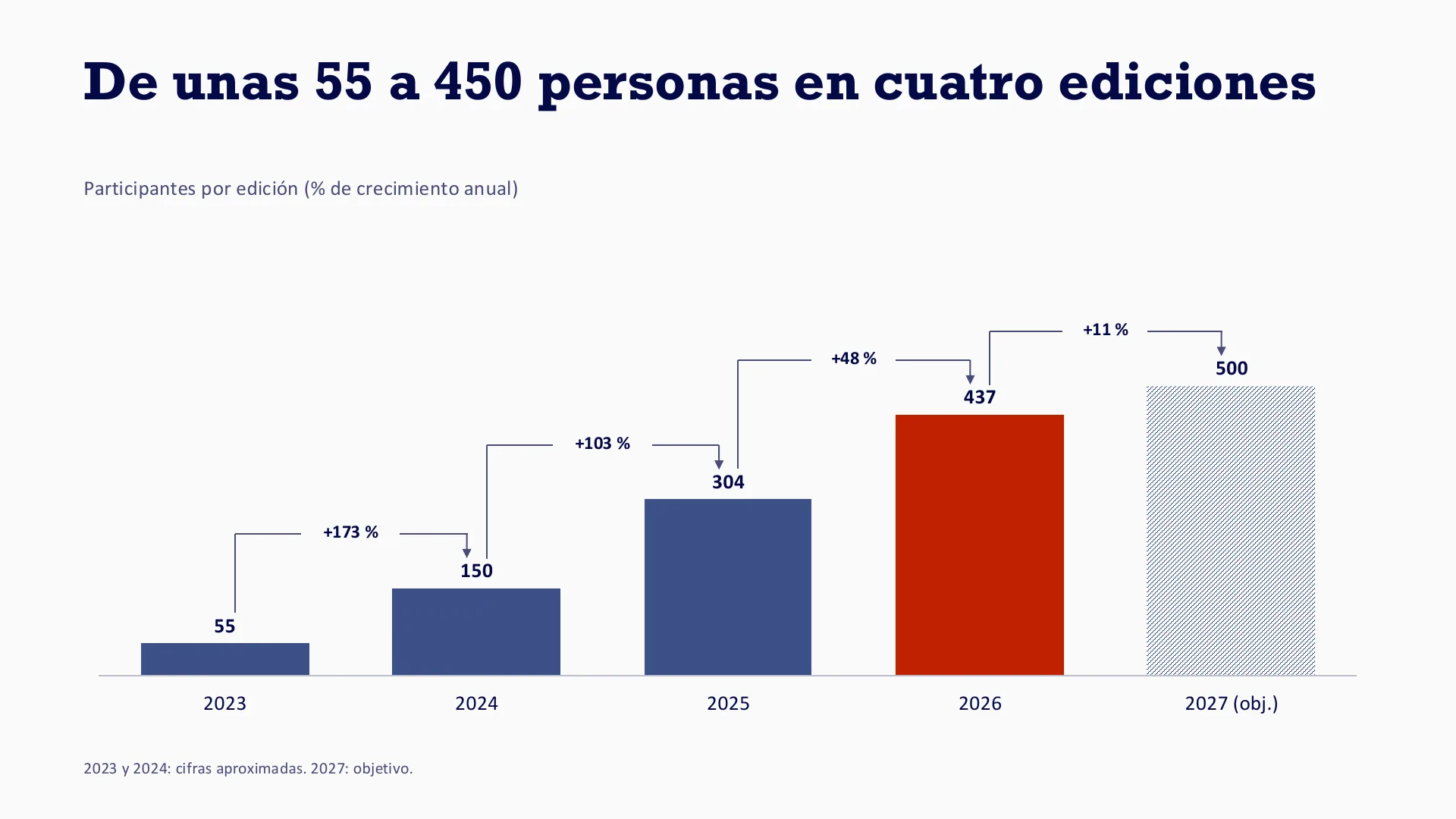
And it keeps growing. We went from about 55 participants in the first edition to 437 in 2026, and the goal for 2027 is 500. (The 2023 and 2024 numbers are approximate.)
Five logins for one event
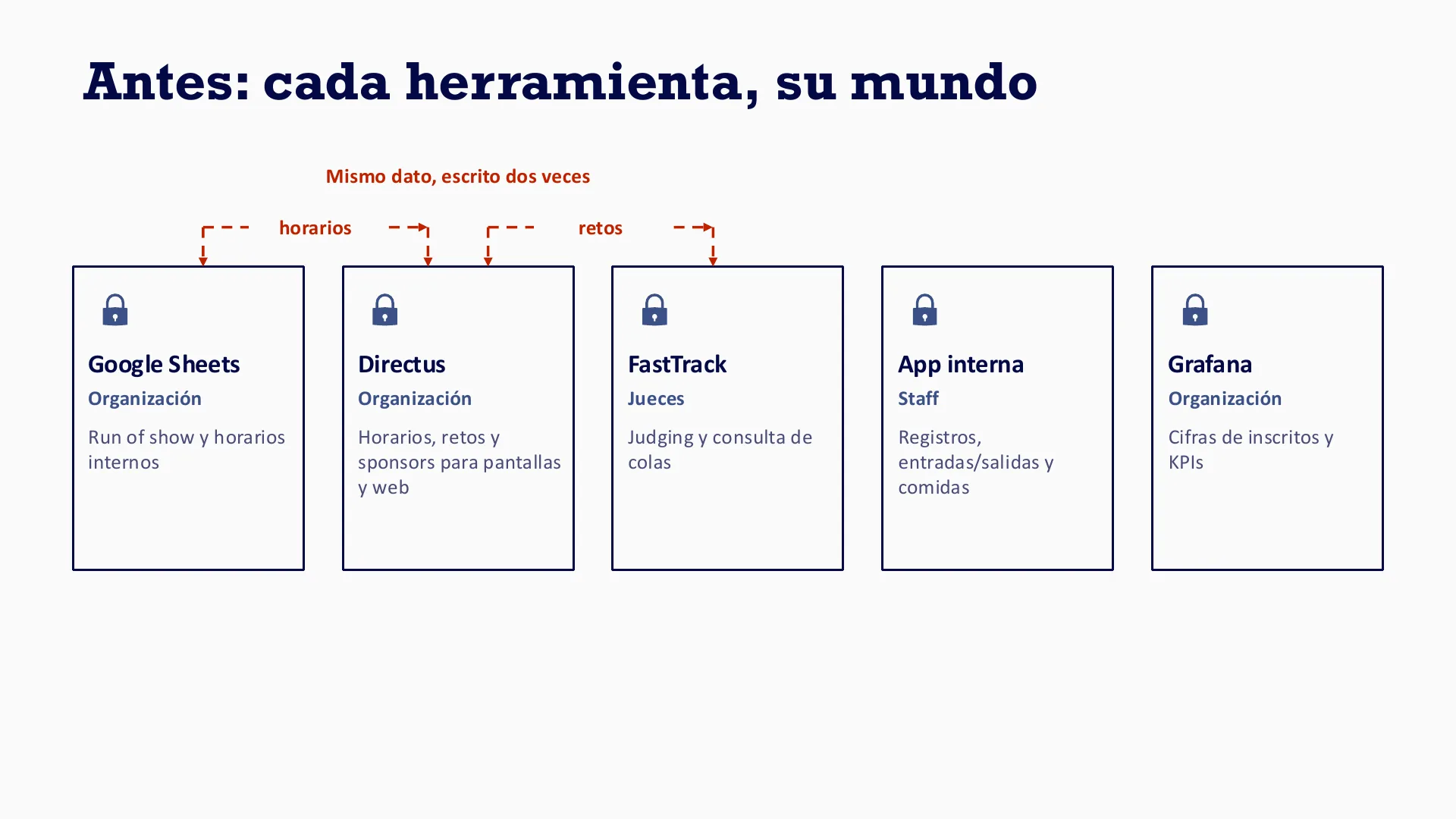
Before hackOS, every job had its own tool. The organizers kept the run of show and the internal schedules in Google Sheets. Directus held the schedules, challenges and sponsors that go on the screens and the website. The judges had FastTrack, for judging and for checking the queues, which is the one I wrote in three nights during the last edition. The staff had their own app for registrations, entries and exits, and meals. And the sign-up numbers and the rest of the KPIs lived in Grafana.
That’s five logins for one event. The slide has a dizzy emoji on it, which about sums it up. Worse, the same data, schedules and challenges, was being typed in more than one place.
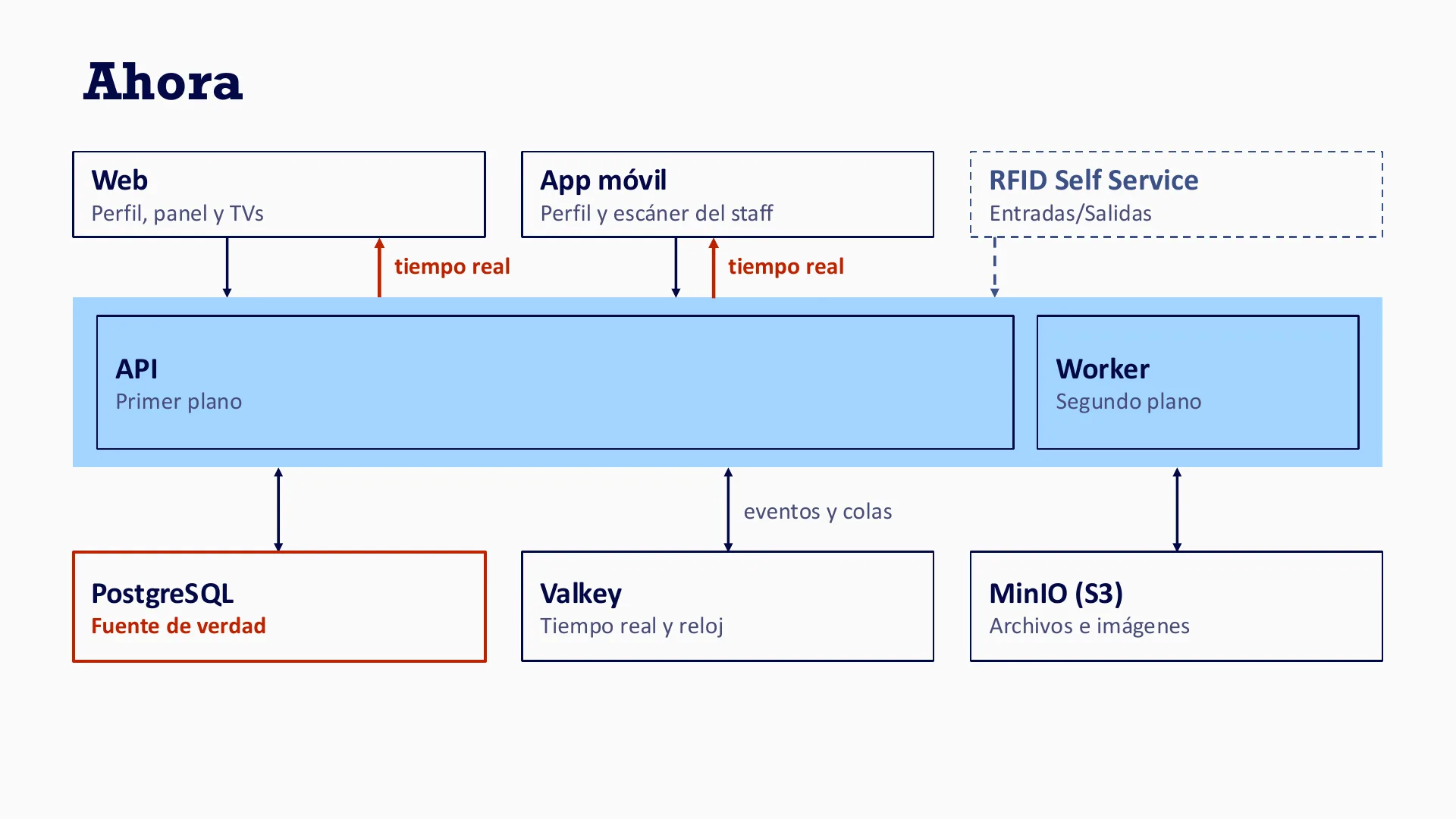
hackOS is our answer: one platform, one login. There’s a web app for profiles, the admin panel and the TVs, a mobile app for profiles and the staff scanner, and RFID self-service points for entries and exits. The web and the mobile app talk to the API in real time. The API runs in the foreground, and a worker takes care of whatever can wait in the background. Underneath, PostgreSQL is the source of truth, Valkey handles real time and the clock, and MinIO (S3) stores files and images.
The queue at the door
Once the doors open there are two things to get right: nobody should be stuck in a queue, and everybody should know what’s going on. Let’s start with the queue, since it’s the first thing anyone meets.
The goal is to check each person in within seconds, in three steps.
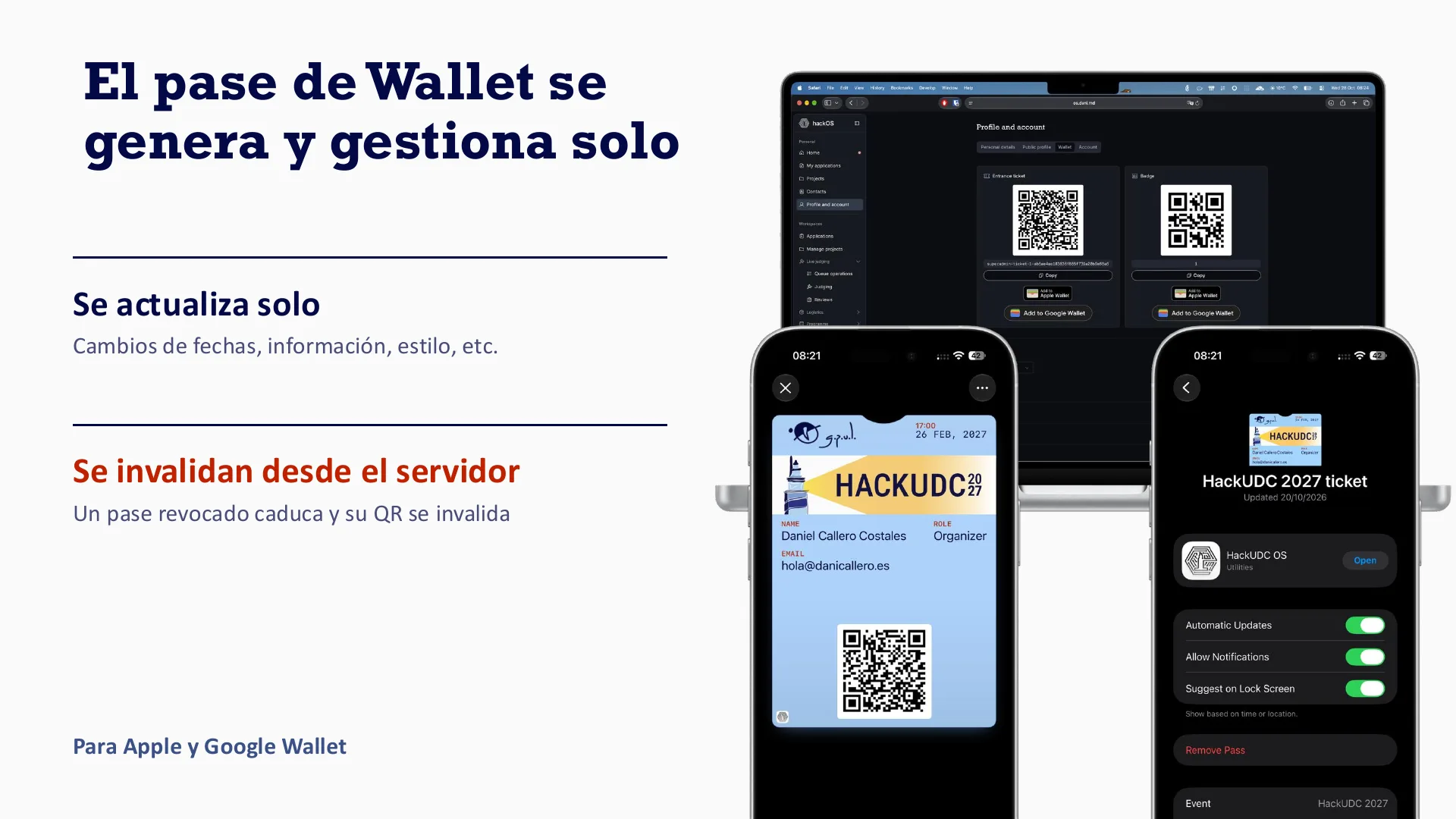
First you scan the ticket. It’s a Wallet pass with a QR code, for Apple and for Google Wallet, and the pass generates and manages itself. If we change a date, some info, the style or anything else, it updates on the phone without anyone doing anything. If we revoke one from the server, it expires and its QR stops working. Passes were the rabbit hole of the last edition, by the way, and I wrote about it.
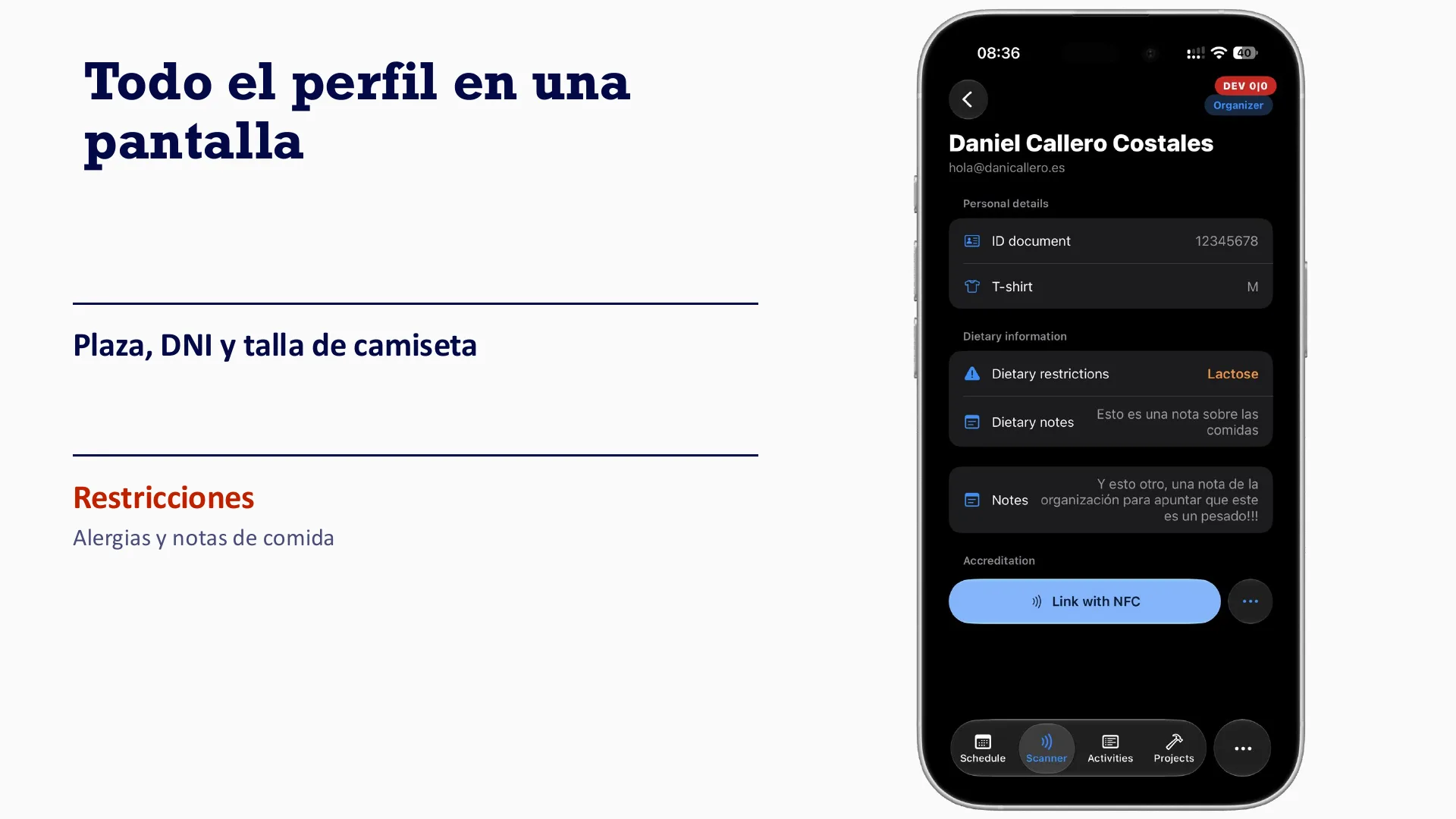
Then the profile. Everything fits on one screen: name, ID number, shirt size, and any allergies or food notes.
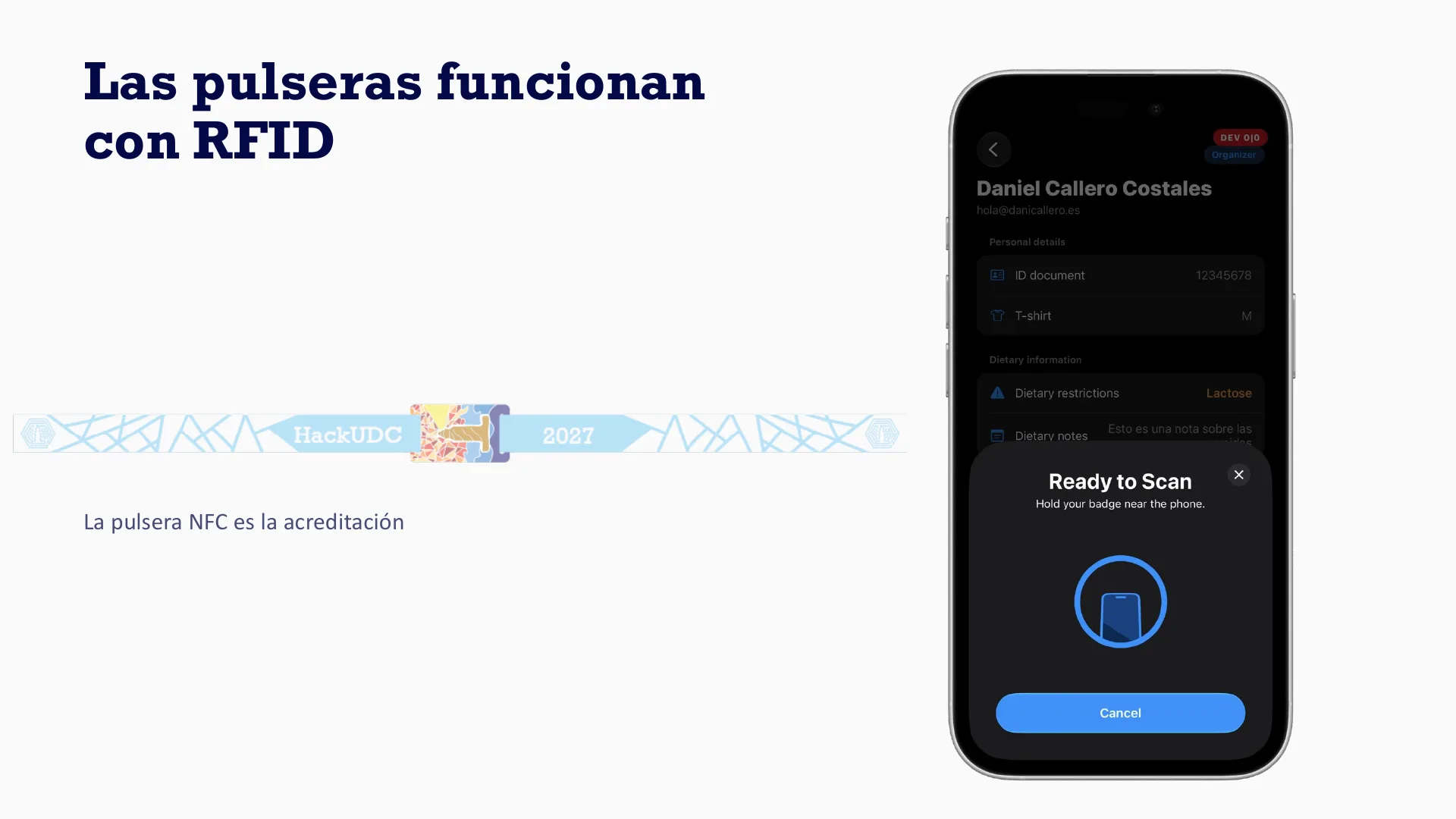
And last, the badge. Each person gets an NFC wristband linked to their profile, and from then on the wristband is their accreditation. The same wristbands work over RFID at the self-service points.
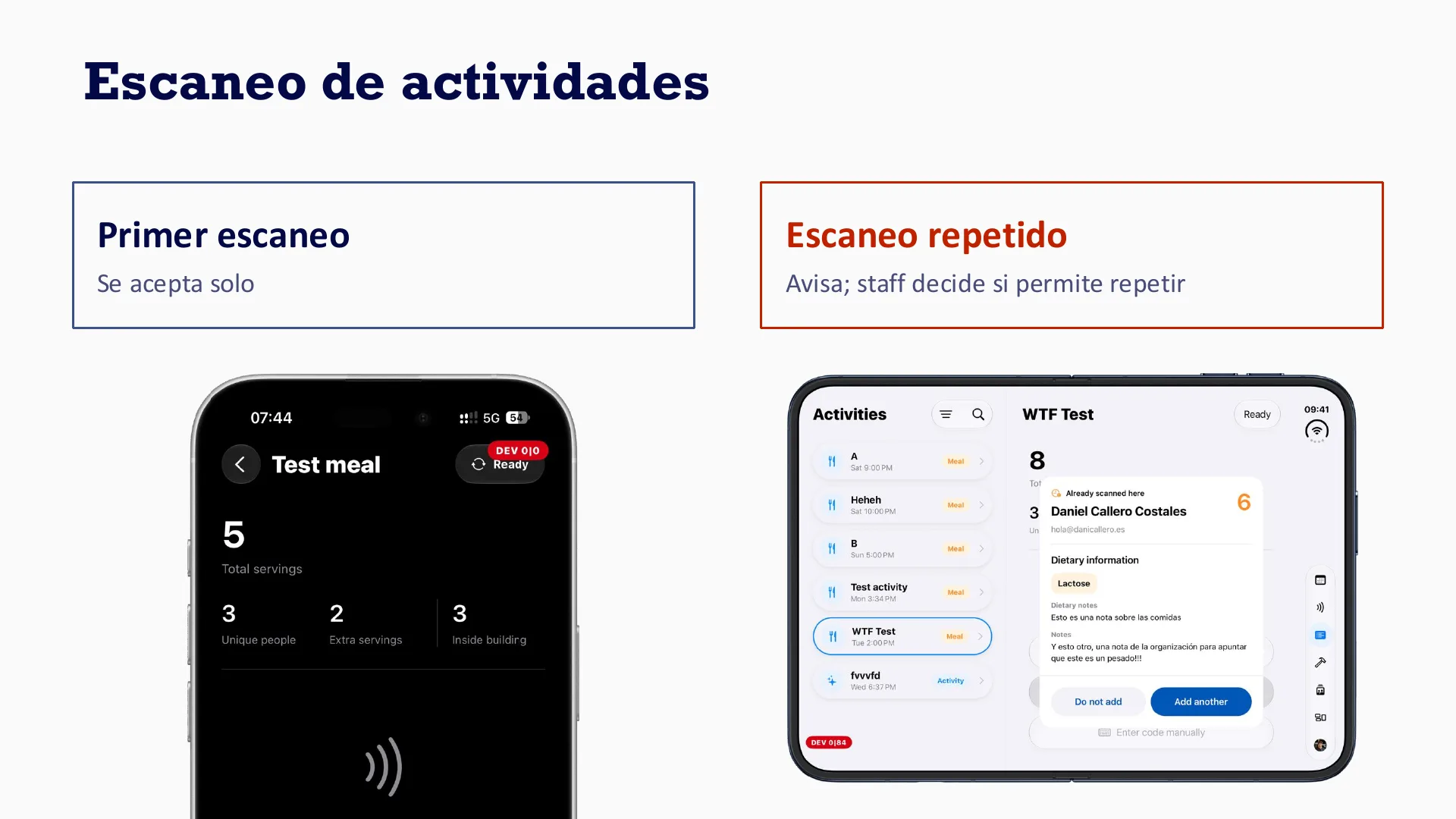
Meals and activities get scanned too. The first scan is accepted on its own. If someone scans a second time, the app warns the staff member, and they decide whether to let it pass.
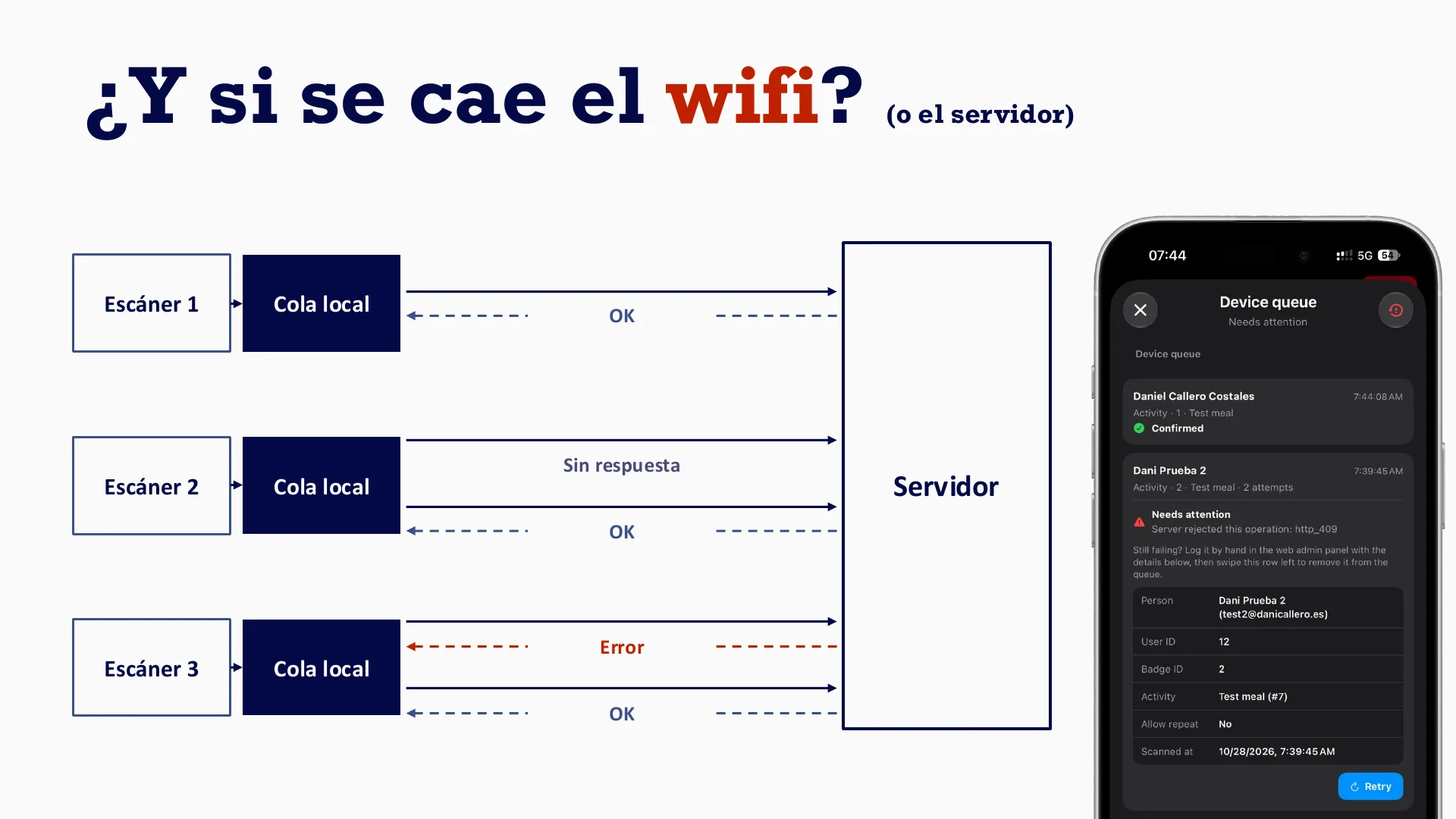
And if the wifi dies?
Funnily enough, that’s the slide that ended up in the photo above. The question is what happens when the wifi goes down, or the server does.
A scan never goes straight to the server. The scanner saves it to a local queue first and then tries to upload that record. The server has to acknowledge that it received it and saved it to the database, and only then is the scanner happy. If the server doesn’t answer, or it’s down, the device keeps the record and tries to send it again until it’s reconciled. If the server does answer, but with an error, because the record can’t be saved (maybe it now conflicts with newer data), the scanner shows the operator an error message, and they can try to fix it on their own.
Who was actually there
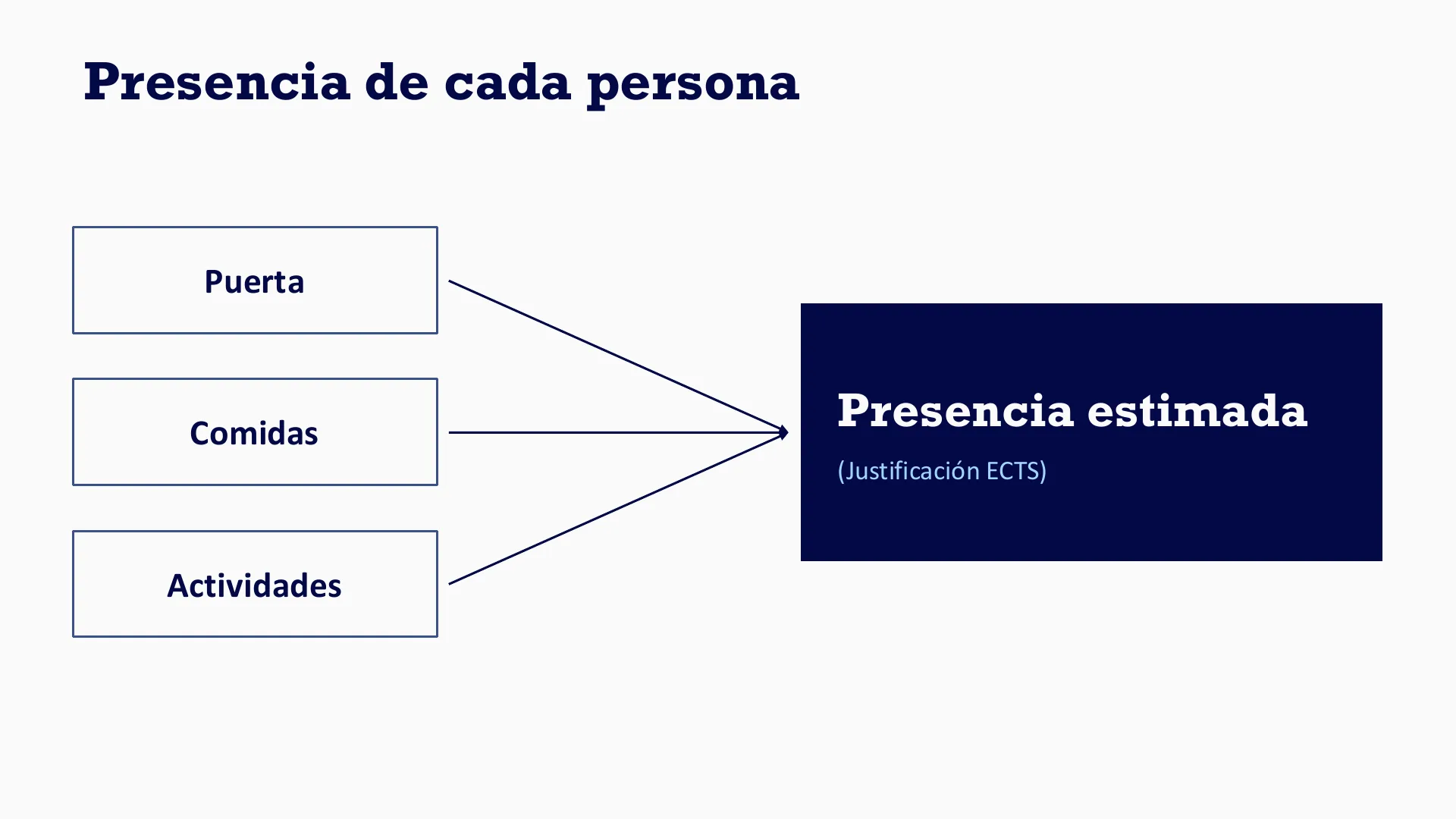
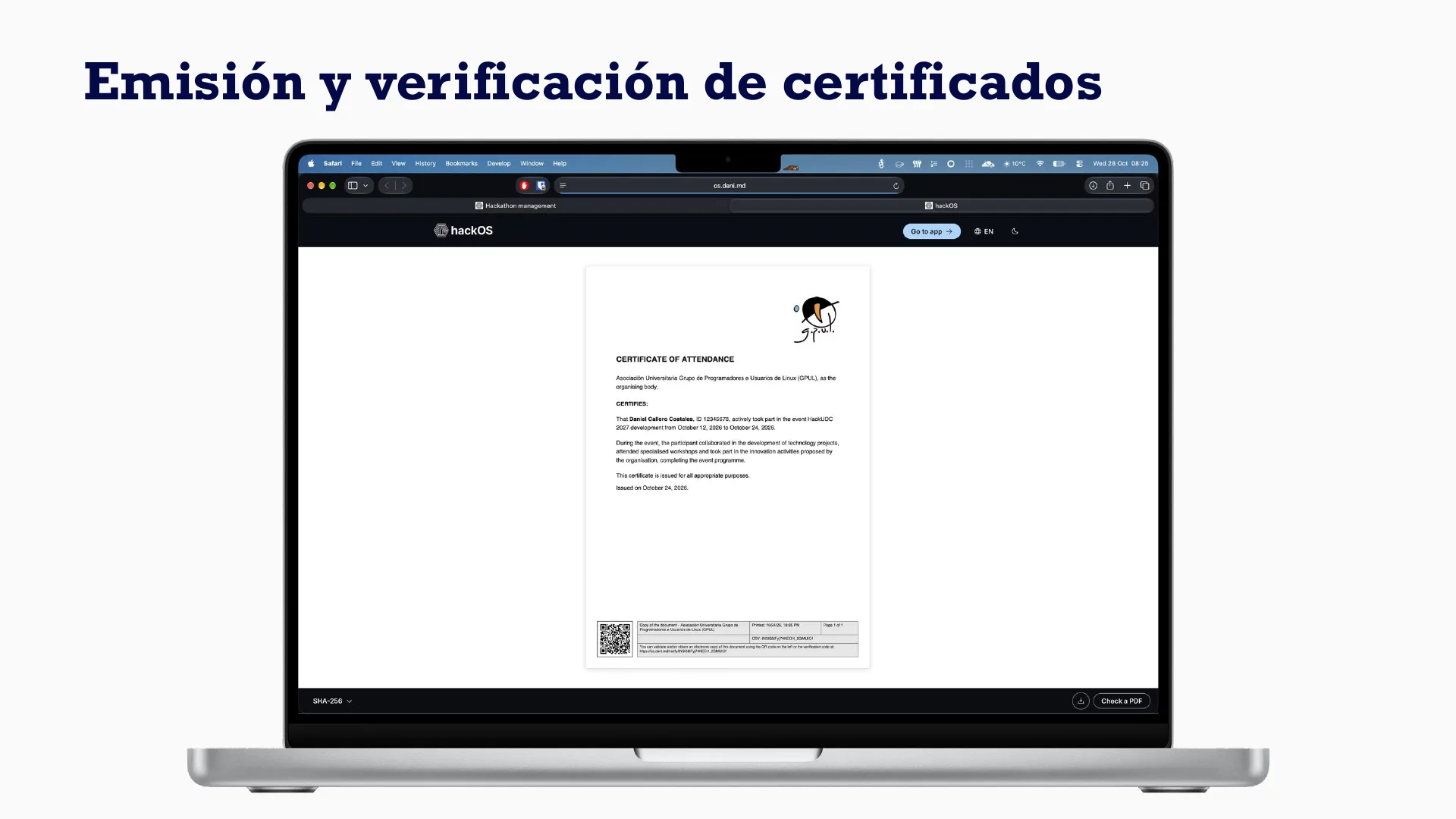
Everything we scan, at the door, at meals and at activities, adds up to an estimated presence for each person. Students need that to justify their ECTS credits. At the end the platform issues certificates, and anyone can verify them.
Nobody shouting team names
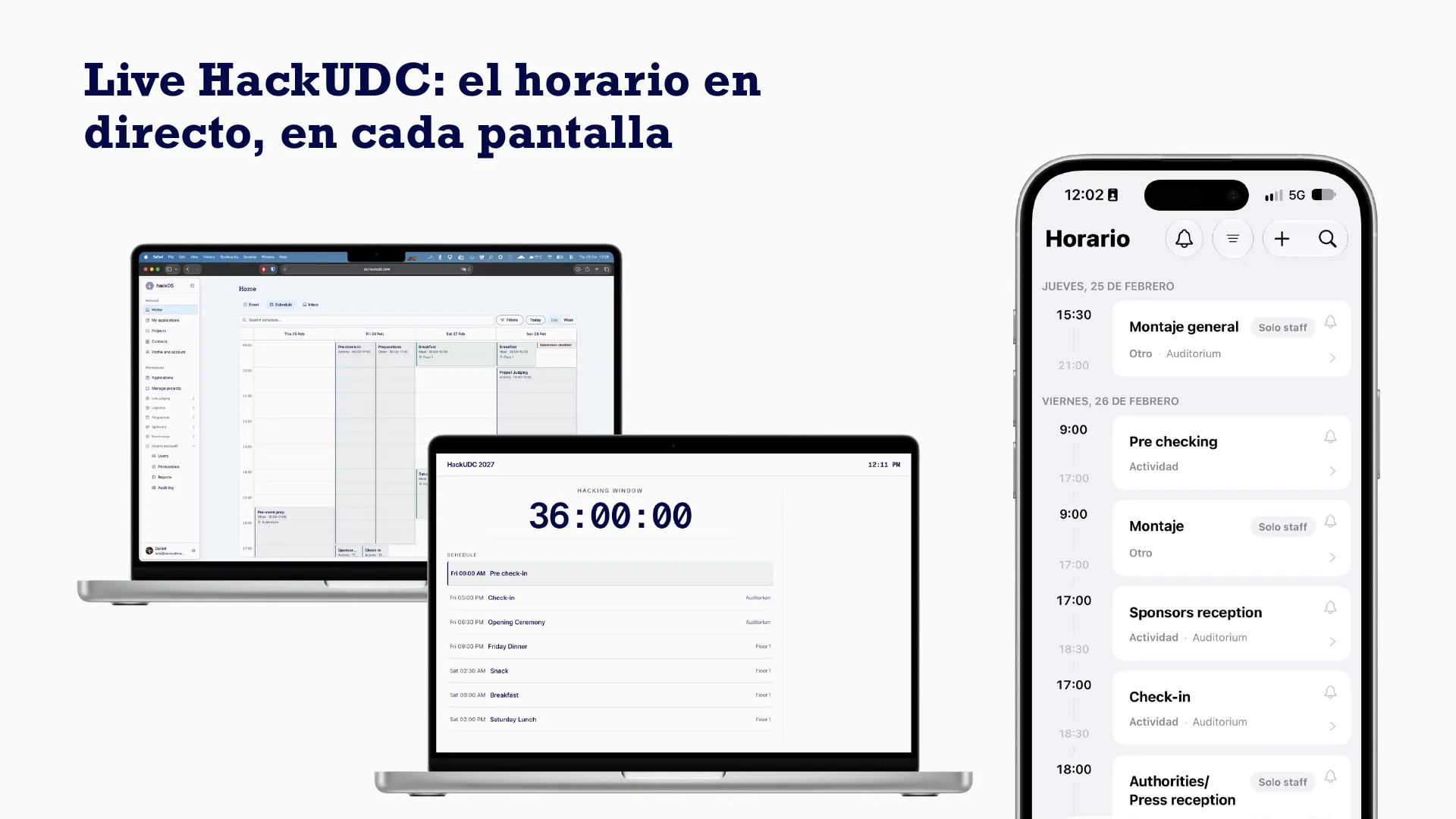
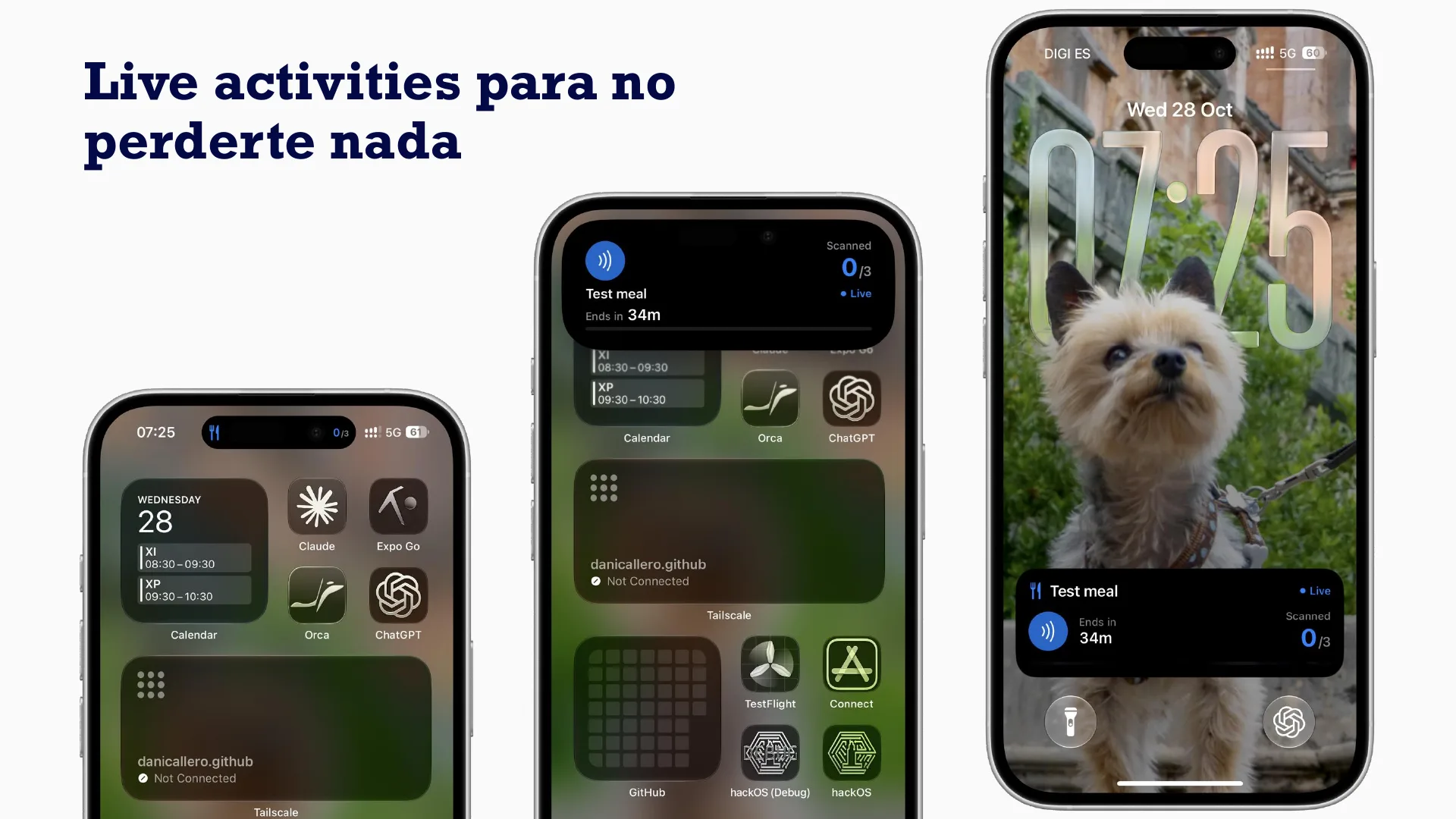
The other half is information. The schedule is live on every screen and on your phone, and Live Activities keep the event on the iPhone lock screen so nobody misses anything.
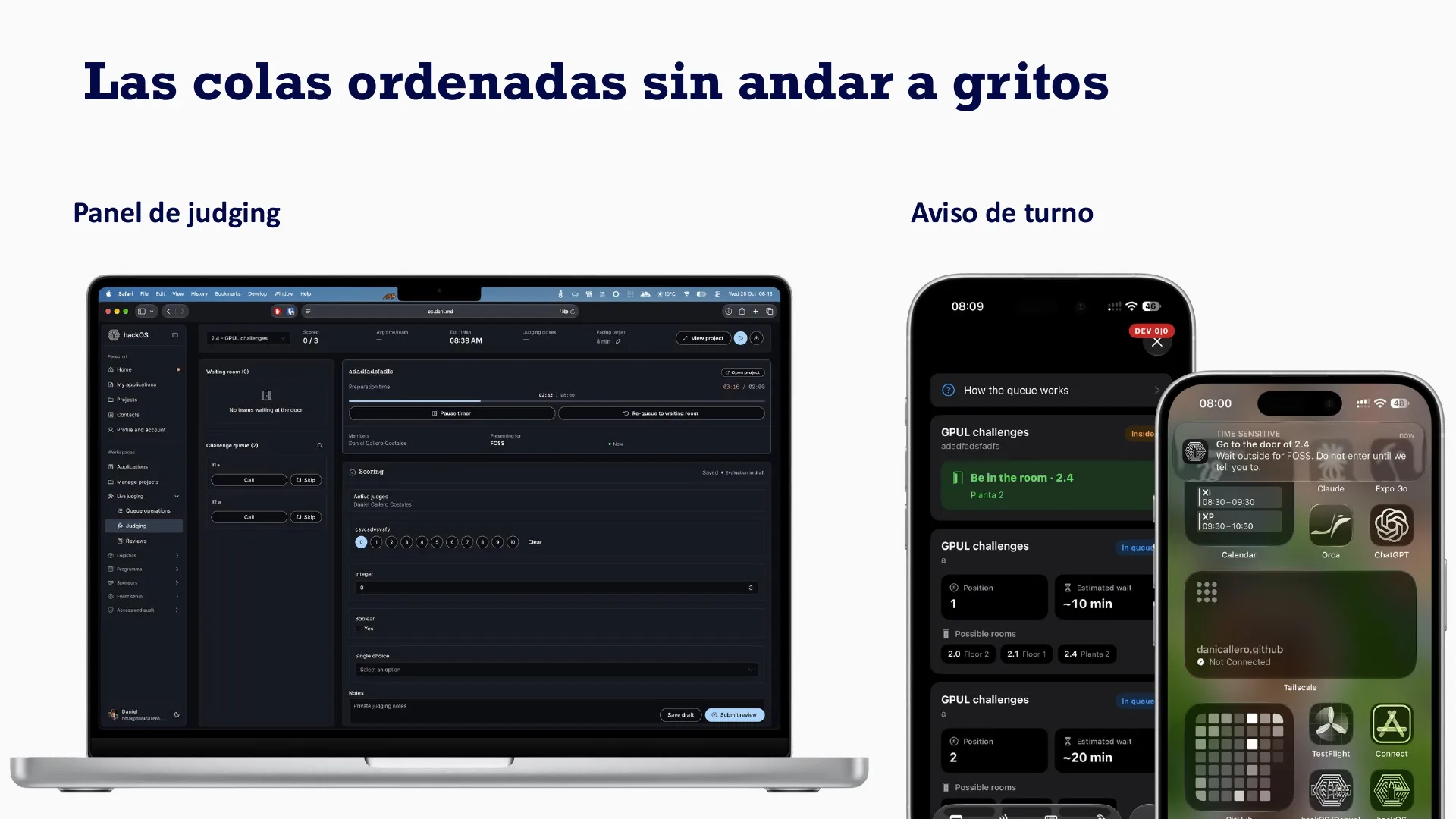
For judging, there’s a panel to run the queue, and teams get a turn alert on their phone, so nobody has to go around shouting names.
That’s the talk
Thanks to everyone who came, both the ones curious about the topic and the ones who came to support me, and to CoruñaWTF for having me. hackOS is the platform behind HackUDC 2027, which I’m co-directing this year, and the website and identity for the edition are the other half of what we’re building.